
Google removed their timer so I made one
By god this is sort of controversial. Google provides many free services that I use daily but there was one tool that ruled them all… the TIMER! Figure 1 shows the timer in all its former glory, so simple, so elegant and now so non-existent. That’s right, when I searched up the classic word “timer” into Google last week my heart wretched at its disappearance.
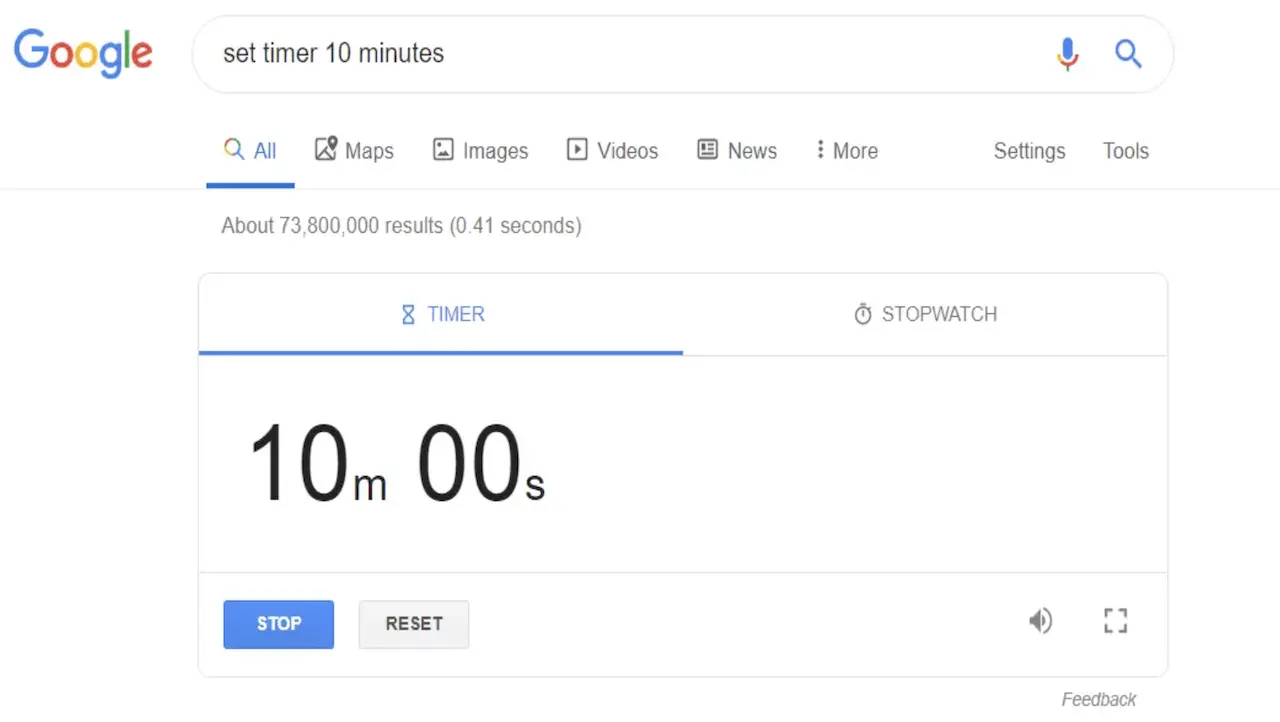 Figure 1: The free timer tool provided by Google when using their search engine.
I reluctantly clicked the next available website with a timer and was horrified at their over the top designs. Google did it right as it was simplistic, user friendly and perfectly functional.
I needed to do something about this
There I was sitting at my desk lost without my simple Google timer. I went to search for a native timer on my Macbook Pro and was stunned to find nothing too. Literally only a clock is available to use like a barbarian. I might as well start using a sundial to track my hours. Alright, maybe that is a little bit extreme but you get my point.
Then it struck me, I am a software engineer! Of course, all the years of honing my craft led up to this point. It was time to recreate the wheel in its most basic form.
So I made a timer
Now listen, I didn’t sit down and design a timer with a billion features. In software there is the concept of over-engineering and I didn’t want my timer to solve philosophical inquiry. It just needed to be SIMPLE. I thought about what I most liked about the Google timer:
- As you typed the time it would automatically move to the next time increment (e.g. hours, minutes, seconds)
- When finished typing you can hit enter and start the countdown.
- While on another tab it updated the timer tab with the remaining time.
- You were notified when the time was complete.
- It looked simple and functioned simple.
That is all. Nothing more and nothing less.
I decided to go super basic and write it with HTML, CSS and Javascript. In hindsight I could have used Elm or any other great frontend framework but who really cares. I needed something that ticked and nothing else. If I have learnt anything during my years of programming it is this… I design and develop for the problem scope I have. For example, my timer could have a stopwatch feature which goes part and parcel with most timers, but I do not need or want a stopwatch feature. Again, I am not here to design a rocket ship, just a very basic timer. To go beyond this scope can lead to unnecessary tangents. Unless of course you are just having fun as there is no harm in that.
I did use tailwindcss along the way too as it is a lightweight CSS framework that makes designing smooth like a jazzy rhythm.
I present to you my basic timer
Link to Timer: https://www.timer.sanico.com.au
If you don’t want to click the link you can see the timer below in Figure 2. I have been using this timer every day since the Google timer disappeared and have happily resumed my life. I have hosted it on a server and bookmarked it on my web browser for easy access.
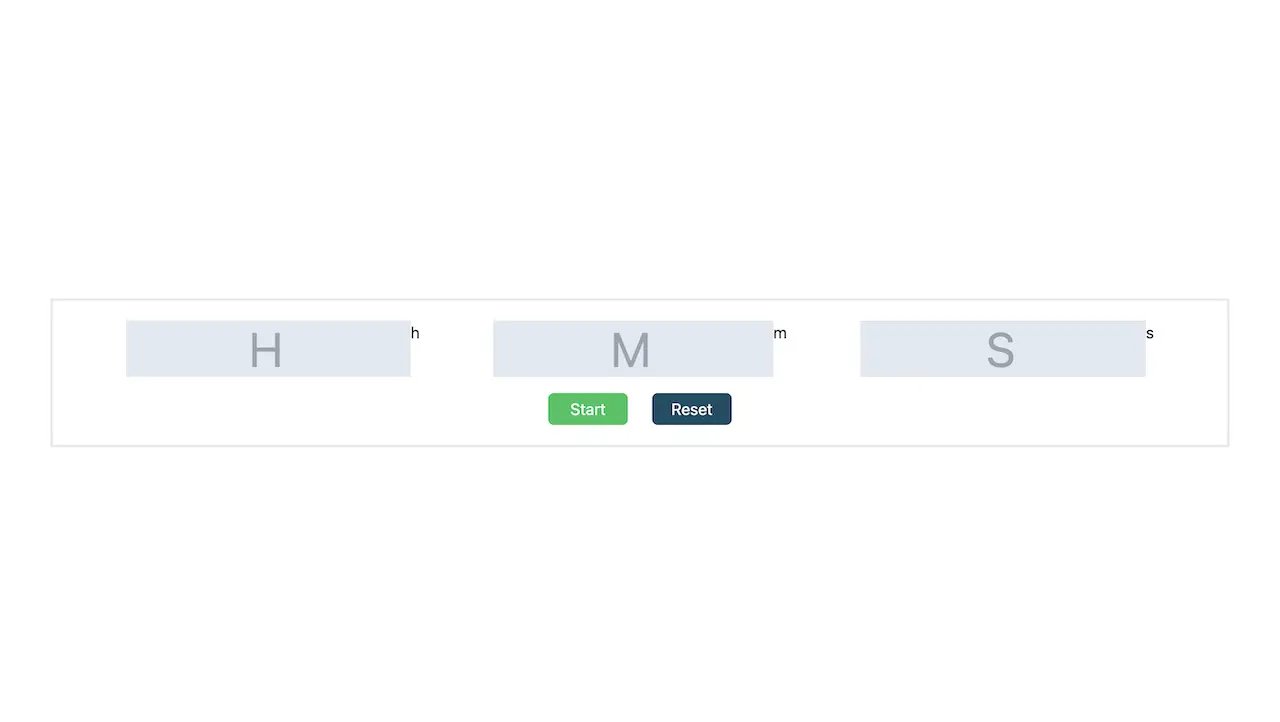 Figure 2: My basic timer I developed to replace the Google timer and solve my woes.
But it has flaws and could look so much better
But that is not the point. Yes, there is a nagging voice in my head saying “maybe add that or change this”… However, I only needed a timer that counted down. I use this every day now and have no issues with it. I may make some tweaks here and there but my main goal was achieved and I can continue programming new things.
Conclusion
There are two reasons I have shared this with you. First of all, I am happy to share my basic timer with anyone reading as it cured my wretched heart and may cure yours too. Secondly, I wanted to demonstrate that it is okay to share your projects even if they are not perfect. I am a highly capable software engineer but I do not need to make the Mona Lisa of timers to hold that reputation. Many may scrutinise my timer. Many may praise it. However, at the end of the day I had a problem that I needed solving and used my software skills to do that. Solving problems comes first and the extra decorations can come later.