Kilobites by Sanico

a blog by humans, for humans.

We write opinionated articles on software, learning lessons from running our business, and personal reflections - Written by Sav Tripodi, Dom Tripodi, Bryan Susanto, and friends.

RSS Feed
Profile photo of Sav Tripodi

Why is the title of my ecommerce product important for SEO?

Why is the title of my ecommerce product important for SEO? cover image

Website Tip #8: Write descriptive, clear, and concise titles for your products on your ecommerce website to rank higher on Google.

I wrote this tip because I noticed many ecommerce websites in my hometown of Adelaide fail to write good product titles. I thought what a shame. What a missed opportunity. Many people pay an SEO specialist like myself to improve a website while many just miss factors like this that they possess the ability to modify themselves.

I will provide an example to demonstrate both good and bad product titles with the use of a random yellow umbrella I found on the internet. Imagine I sell a yellow beach umbrella as seen in the picture below.

An image of a yellow umbrella on a beach.

Examples of Good Titles:

  • Yellow beach umbrella
  • Yellow beach umbrella | Waterproof and windproof
  • Beach umbrella | Waterproof | Windproof | Yellow

The titles provide a mixture of conciseness, descriptiveness, and clarity. A human not only reads them at a glance with more clarity but it also helps Google understand the product. I split the titles with the pipe ("|") separator but others exist such as a forward slash ("/"), a dash ("-"), and much more. Just ensure the separator remains consistent and don’t use a mixture of different separators such as both a pipe ("|") and a forward slash ("/").

Examples of Bad Titles:

  • Umbrella
  • Umbrella for the beach that keeps the sun …

Keep Reading...

Profile photo of Dom Tripodi

Get more people on your website by sharing

Get more people on your website by sharing cover image

Website Tip #7: This tip may seem pretty straightforward but I constantly see missed opportunities for businesses sharing their website with new customers. Picture your website like a castle in the middle of the woods. Sounds random but stay with me here. You have gone to the effort to get your website published online and it now exists in the middle of nowhere. How does anyone know where your castle is? You could tell your friends and family which would create a magical path directly to your castle. However, this is a pathway just for friends and family. Unless they share it with other people this path will barely be used. You need to create more pathways and let people know.

But how do I create more pathways?

Take a step back and think about where a potential customer may be and how to guide them towards your castle. For example, you may create social media profiles for your business and generate a few followers. In this example you must make sure your website is super accessible for your followers. Therefore you are creating a pathway for all your social media followers to access your castle.

Let’s take Instagram for example. Don’t just put your website in your profile description but also share the link in your story as shown in Figure 1.

Showing how to currently add a clickable link to an Instagram story. Figure 1: Showing how to currently add a clickable link to an Instagram story
Those stories can then be added to your Instagram …

Keep Reading...

Profile photo of Sav Tripodi

Why should I avoid putting text in images?

Why should I avoid putting text in images? cover image

Website Tip #6: Avoid putting important text in images as it makes it difficult for Google to understand. User’s can’t easily copy text and accessibility readers lack the ability to read the text aloud for people with a disability. Although this tip is subtle it is something that helps boost the SEO of a website.

When Google or other search engines index your website they ingest a variety of information, one critical piece of information is the text. Google rips all of the text from a website, interprets it, and understands its relevance which then allows it to recommend the webpage to people searching on Google. This is called the organic search ranking.

Another common problem is that users aren’t able to copy and paste the text from your website which is extremely annoying. To understand my point try to copy this text below:

Copy this text here.

Easy, right? Whatever device you are on it should be easy enough to copy and paste the text. Alright, let’s step it up, try to copy the text below that I put in an image:

An image to show that it is almost impossible on most devices to copy text on an image. Try to copy this text.

Ahhh not so easy. Unfortunately it’s almost impossible on most devices to copy text in an image and is extremely annoying for people who try to do so on your website. If you’ve ever run into this problem on a website you’ll understand what I mean.

The other problem is that accessibility readers that …

Keep Reading...

Profile photo of Sav Tripodi

We landed our biggest job ever with Jobs Statewide

We landed our biggest job ever with Jobs Statewide cover image

Dom and I recently landed our biggest client ever with an Adelaide based company called Jobs Statewide. They came to us with a critical and short deadline handed to them by the Government. They needed to set up their new offices in Sydney and Melbourne and they wanted us to handle the set up of their IT infrastructure in each of their new offices.

After negotiating a deal we hit the ground running on a trip to get their tech up and running with a sensitive deadline. We started with a super early flight from Adelaide airport and once landing in Sydney and Melbourne we went straight to the first offices.

I had a hire car in Sydney where I transported laptops, desktops, servers, and a whole bunch of other tech across 6 different locations. These suburbs included Bankstown, Cabramatta, Campbell Town, Fairfield, Ingleburn, and Liverpool, all located within the South Western suburbs of Sydney. It did not help that during my travels there was severe flooding in Sydney and I ran out of clothes to wear as every outfit I bought was soaked. I was thinking at one point they should have hired me a boat not a car.

Dom was simultaneously running around several offices in Melbourne which included Box Hill, Cheltenham, Cranbourne, Coburg, Dandenong, Fitzroy, Frankston, and Prahran. Most of the tech was already couriered to their designated locations so Dom was lucky enough to only have to take …

Keep Reading...

Profile photo of Dom Tripodi

Google removed their timer so I made one

Google removed their timer so I made one cover image

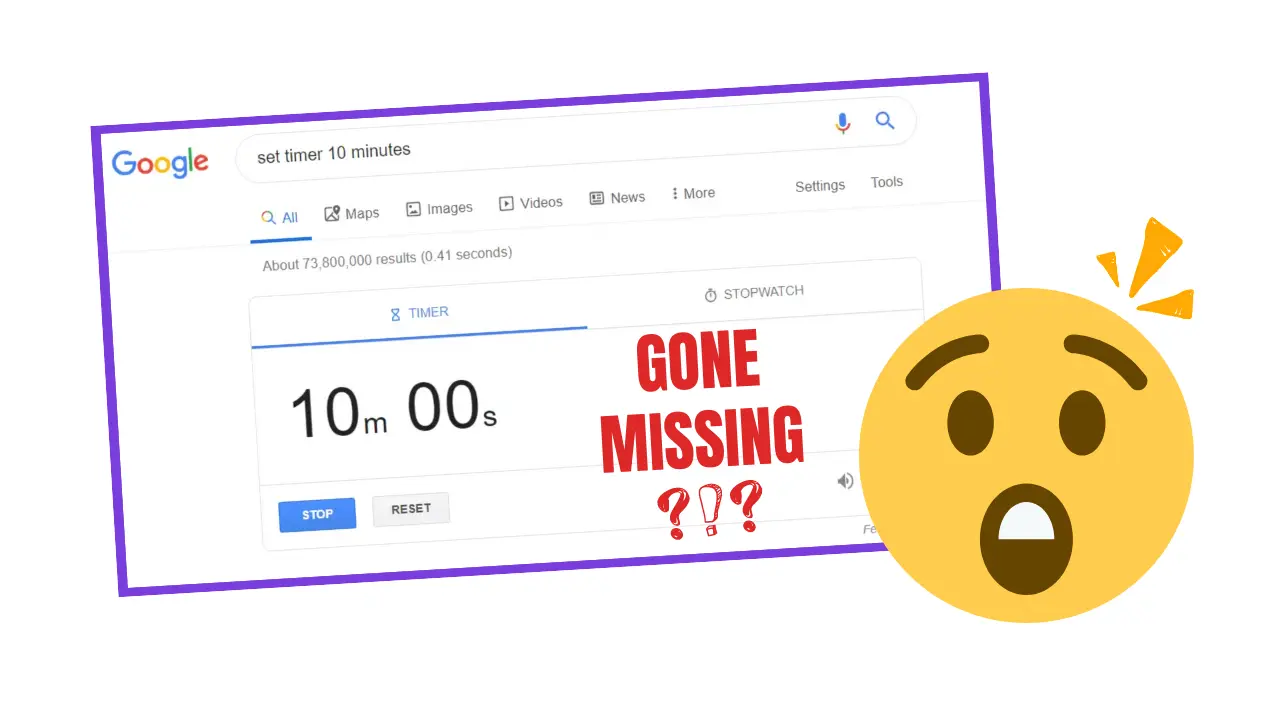
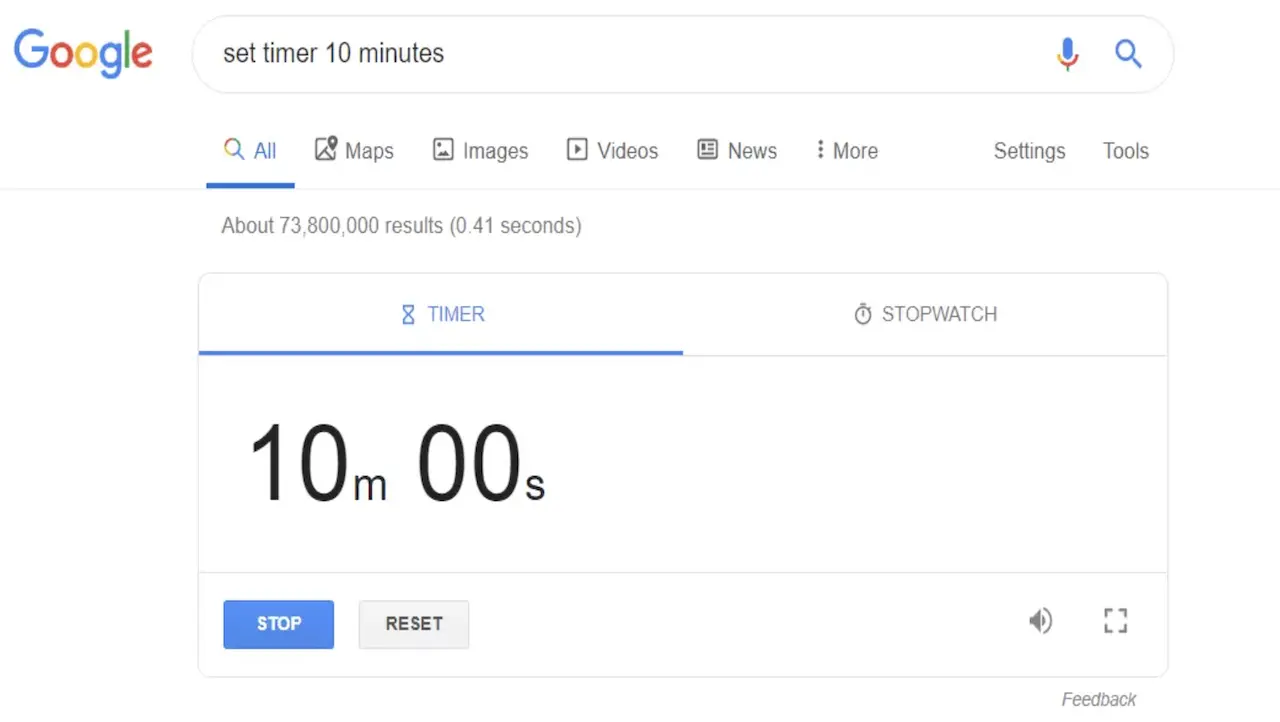
By god this is sort of controversial. Google provides many free services that I use daily but there was one tool that ruled them all… the TIMER! Figure 1 shows the timer in all its former glory, so simple, so elegant and now so non-existent. That’s right, when I searched up the classic word “timer” into Google last week my heart wretched at its disappearance.

Picture of original Google timer before it disappeared. Figure 1: The free timer tool provided by Google when using their search engine.
I reluctantly clicked the next available website with a timer and was horrified at their over the top designs. Google did it right as it was simplistic, user friendly and perfectly functional.

I needed to do something about this

There I was sitting at my desk lost without my simple Google timer. I went to search for a native timer on my Macbook Pro and was stunned to find nothing too. Literally only a clock is available to use like a barbarian. I might as well start using a sundial to track my hours. Alright, maybe that is a little bit extreme but you get my point.

Then it struck me, I am a software engineer! Of course, all the years of honing my craft led up to this point. It was time to recreate the wheel in its most basic form.

So I made a timer

Now listen, I didn’t sit down and design a timer with a billion features. In software there is the concept of over-engineering and I didn’t want my timer to solve philosophical inquiry. It just …

Keep Reading...

Profile photo of Sav Tripodi

Do not forget to add a favicon to your website

Do not forget to add a favicon to your website cover image

Website Tip #5: Do not forget to add a favicon to your website. I say forget because it seems people usually forget to add the poor little favicon to their website and in doing so they miss out on an opportunity to increase brand recognition and verify the legitimacy of a website. I created this web tip because I am so surprised at the sheer number of websites that I see that forget this little impactful addition. No more, after you read this tip I hope it inspires you to add the favicon to your website.

What the heck is a favicon?

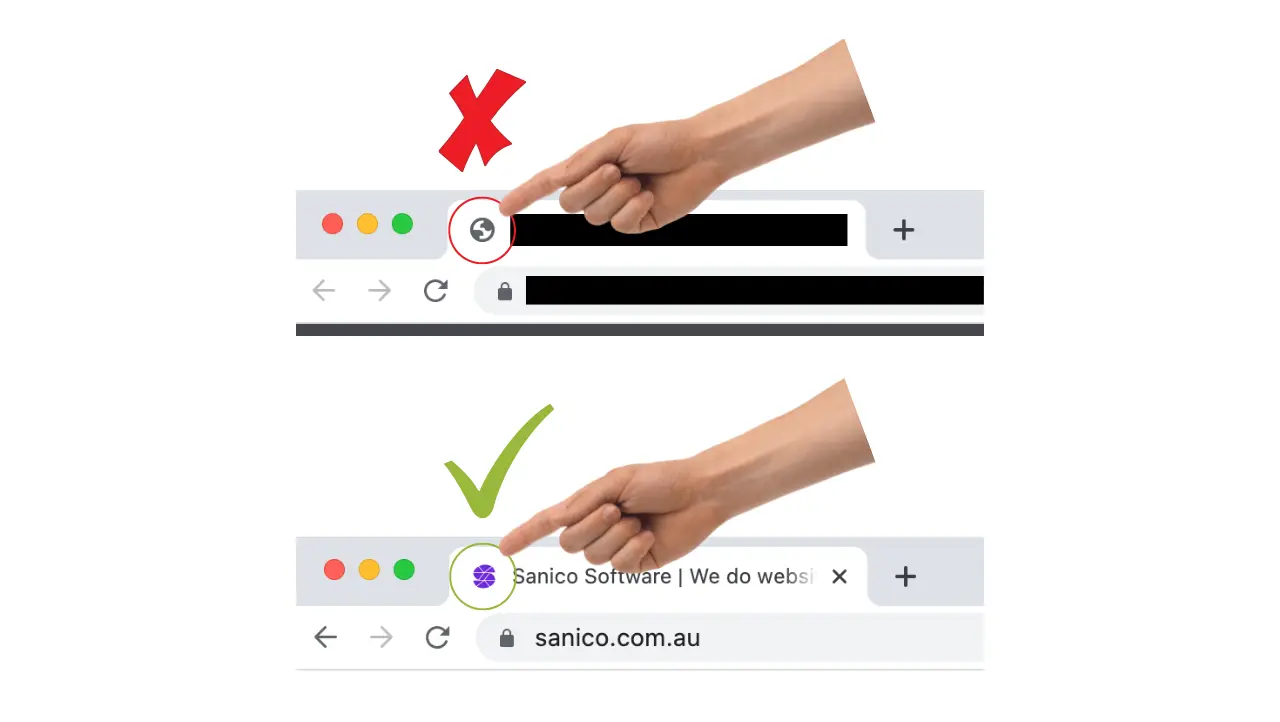
A favicon is a symbol or icon that usually contains the logo of a website and appears in common places such as Google Search or directly within a web browser. For example, when a user queries something on Google the displayed results show a small icon next to the URL of the website. Figure 1 shows a hand pointing to the icons that I highlighted with yellow circles. Google sources the favicons from a website and displays them in their search results adjacent to the URL of a website.

Hand pointing to the favicon of a website in Google Search results. Figure 1: Google search results with favicon images.

Another place where favicons are used is in the tab of a web browser window. No stress if that sounds like gibberish to you. I will clarify. In Google Chrome on a browser tab the favicon appears adjacent to the title of a website, as seen in Figure 2 below. The favicons allow a user to pick between browser tabs with …

Keep Reading...

Profile photo of Dom Tripodi

Improve your website by testing its speed

Improve your website by testing its speed cover image

Website Tip #4: Speed is an important SEO factor that needs to be considered by the website owner. I mean, how often do you access a website and wait a million years for it to load? I don’t know about you, but this happens to me more often than not and it really grinds my gears. I have a theory behind why many websites load slow and will share how you can test your own website speed for future fixes.

As the internet has continued its development over the years, the advancement of website builders have grown. When I say ‘website builder’, I don’t mean a literal computer programmer but instead a program built to allow non-IT people to create websites.

Wordpress is currently one of the biggest website builders that started as a tool for creating blogs. Shopify is another major website builder that started as an ecommerce site selling snowboards. I even personally first learnt to develop websites on a program called Dreamweaver 8 years ago which served as a handy drag and drop tool. All of these tools have continued development over the years, offering new templates and plugins to customise your website.

The development of these website builders is bittersweet in my opinion. The great part of website builders is the pathway they pave for non-IT people. It lowers the barrier to entry and allows more interaction in the software world. No longer do you have to interact with a terminal …

Keep Reading...

Profile photo of Sav Tripodi

Get a ranking boost on Google with HTTPS on your website

Get a ranking boost on Google with HTTPS on your website cover image

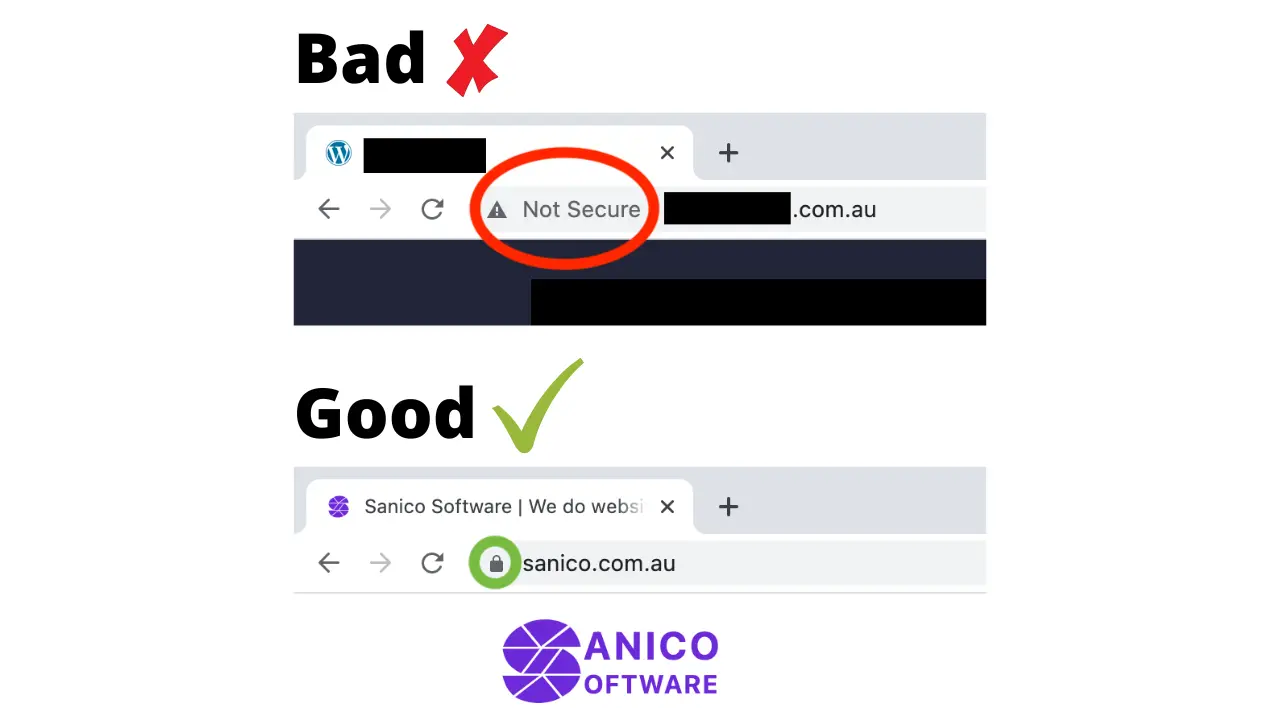
Website Tip #3: You might not know it but using HTTPS (Hypertext Transfer Protocol Secure) on your website is actually a page experience factor Google uses to rank a website. Many people think black magic, voodoo or casting spells helps a website rank better on Google, when in reality Google publishes a wide range of informative documentation to help websites rank better. Many misconceptions exist and people chase unusual tactics to rank better while they miss basic factors such as HTTPS.

What is HTTPS and why use it on a website?

HTTPS is a protocol that provides a safe and encrypted method for a website and its client to communicate with each other securely. With the rise of hacking, data theft and cyber attacks on the internet HTTPS was created as a method to enforce encryption, increase data integrity and authenticate communications between a website and its clients. It is something that every website should be using both to protect themselves, their users and to additionally receive a ranking boost on Google. I won’t explain HTTPS in technical detail but for those interested check out this Wikipedia article which discusses HTTPS in more detail.

Many negative consequences exist for websites that fail to use HTTPS for their communications, such as:

  • Google ranks websites lower that don’t use HTTPS as they want to navigate clients to websites that provide a higher level …

Keep Reading...

Profile photo of Dom Tripodi

Do not be intrusive with popups on your website

Do not be intrusive with popups on your website cover image

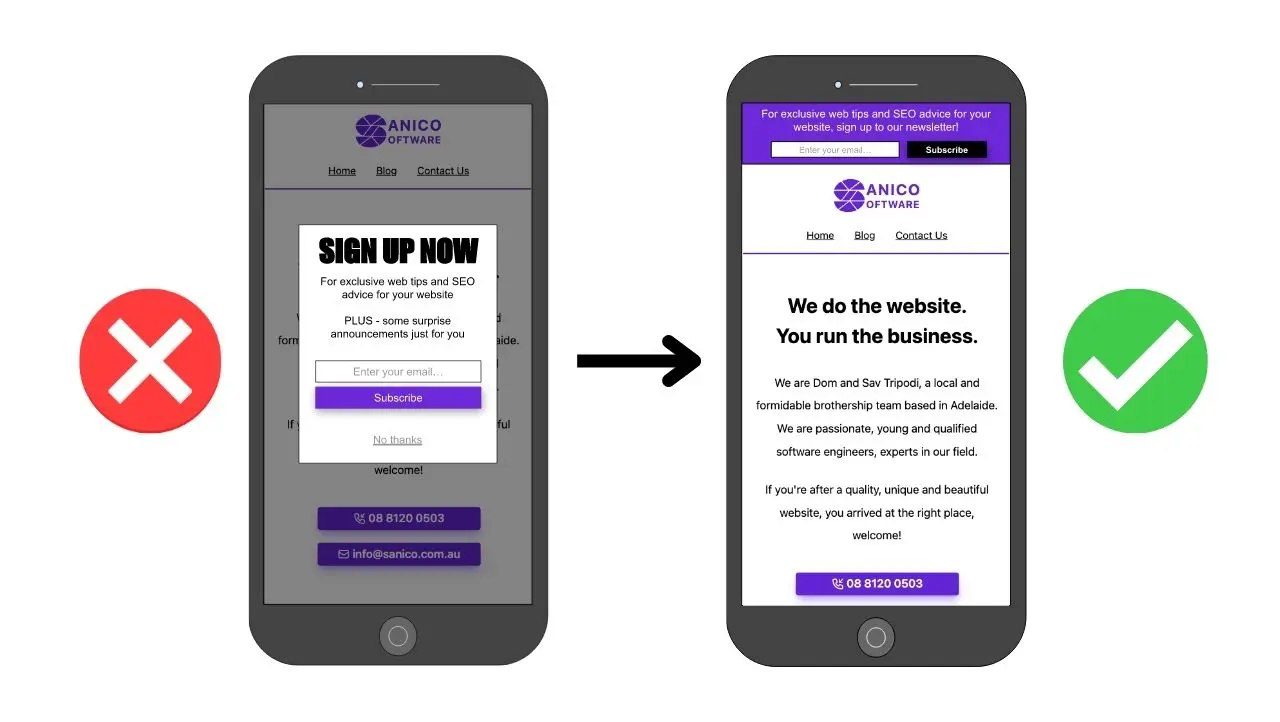
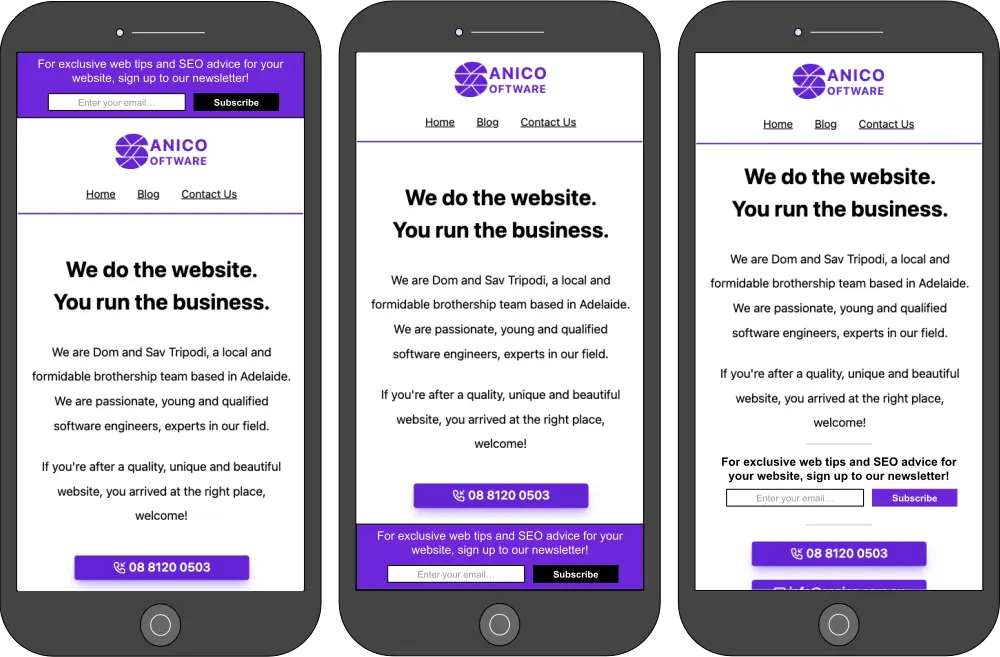
Website Tip #2: A very common strategy websites use is acquiring newsletter signups via email addresses. However, the mistake many websites make is in the form of large popup windows. What do I mean by large? It is large enough to disallow a user from accessing content on the page as seen in figure 1. These pesky popup windows sound good to prompt users but can actually have negative effects on the website’s search engine optimisation (SEO).

A mobile phone with an intrusive popup obstructing the website content. Figure 1: An intrusive popup (dialogue) obstructing website content.
The other technical name for an intrusive element that obstructs content is referred to as an interstitial. Both interstitial and dialogues need to be approached in a non-intrusive manner.

But how can I prompt users without being slightly intrusive?

The concept of the newsletter signup is not negative, it is the disabling of user interaction with the website content that can get SEO rankings punished. Therefore, it is a great idea to implement elements such as banners on the website as seen in figure 2.

Mobile phones using good banners instead of intrusive popups. Figure 2: Newsletter signup implemented with banners instead of an interstitial or dialogue.

These images serve purely as examples for the banners and are not a showcase of my design skills. They serve the purpose of showing how the user can still interact with the page content without being interrupted. The banner can still be emphasised as long as it does not …

Keep Reading...

Profile photo of Sav Tripodi

Image file names are important for Google

Image file names are important for Google cover image

Website Tip #1: You might not have expected it but the file name of an image actually helps Google understand your picture so that it indexes both the picture and your website better. Before I explain further I want to start with a few examples that will demonstrate the difference more clearly:

Example of bad image names:

  • image39_9394.png
  • IMG_39382.png
  • download_image_50053.png

Example of good image names:

  • dog-in-a-garden.png
  • cat-playing-with-a-ball.png
  • me-and-my-friends-at-the-park.png

If you read the two lists, the difference is obvious. Without seeing the picture I understand that dog-in-a-garden.png will likely contain a picture of a dog in a garden. If I look at image39_9394.png I have no idea what it represents. If I find it difficult to understand then Google will also find it very difficult. When Google discovers an image it looks at many factors to understand what it represents. Google, as discussed in their official documentation, uses the file name as one of these factors.

Whether you use a static website generator, Shopify, SquareSpace or any other Content Management System (CMS), rename image files to contain more descriptive names to help Google understand your images better. It only takes a few moments to rename an image to give a more descriptive file name before uploading it to a website, time worth spent in my opinion.

I left a few suggestions below that I …

Keep Reading...

Subscribe for future posts by Sav, Dom, Bryan and friends. This is a once-a-month blog wrap-up only.